

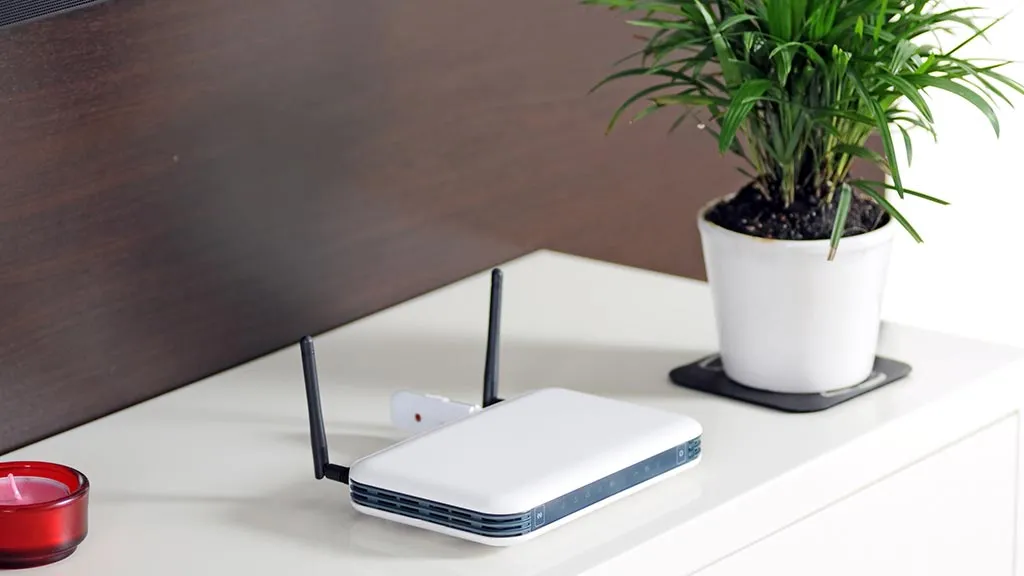
Your router is not decoration, and it is not a cable box that belongs wherever the installer left it. The fastest path to better home Wi Fi performance often starts with moving that small plastic box into a cleaner, higher, more central spot. That means open air, fewer walls, less metal, and less distance between the router and the rooms where you work, stream, study, and scroll. For many U.S. homes, the weak bedroom signal or choppy Zoom call is not an internet plan problem. It is a placement problem hiding in plain sight. A router buried in a media cabinet can make a strong plan feel cheap, while a midrange router on a hallway shelf can feel sharper than expected. If you compare service plans, devices, and practical tech guidance, keep this rule close: fix the radio path before blaming the bill. Wi-Fi still has to pass through drywall, tile, mirrors, pipes, appliances, furniture, and your neighbor’s network noise.
Why Your Router Location Beats Another Speed Test
Speed tests are seductive because they give you a number. The trouble is that the number often describes one room, one device, one moment, and one path through your house. A laptop beside the router can show a lovely result while a bedroom TV buffers during a playoff game. That gap is where router placement matters. You are not trying to make the internet faster at the modem. You are trying to make the wireless path cleaner from the router to real devices in real rooms. In a house with remote work, kids on tablets, cameras outside, and a streaming TV at night, the router has become part of the floor plan. Treat it that way.
Put the Box Where People Actually Use the Connection
Start with the center of daily use, not the geometric center of the house. A router in the exact middle of a 2,400-square-foot home sounds tidy on paper, but it may be wrong if everyone gathers in the back family room, the home office sits near the front window, and the upstairs bedrooms carry the night traffic. The better spot is the place that shortens the hardest wireless trips.
Think about a common American floor plan: modem in the front living room, office in a converted bedroom, smart TV in the back den, and two phones roaming everywhere. If the router stays on the floor beside the modem, half the signal may be wasted into the porch, driveway, or neighbor’s yard. Move it toward the hallway, and the whole house may calm down. That change also helps devices roam with less drama because the signal fades more evenly instead of dropping off a cliff behind one wall. In apartments, a shift of six feet toward the main seating area can matter more than changing providers. Small moves count when walls, furniture, and nearby neighbors crowd the air.
This is the first counterintuitive lesson. The best router location may not be next to the modem. A longer Ethernet cable from the modem to the router can be a cheaper fix than a mesh system. It looks less fancy than new hardware, but a $15 cable can sometimes do what a $300 upgrade promises. In many cable and fiber installs, the service line enters where it was easy for the technician, not where Wi-Fi will work best. Your job is to separate those two decisions.
Keep It High, Open, and Slightly Boring
Routers do poor work from the floor. A floor-level box has to push signals through couches, tables, people, pet beds, and cabinet walls before it reaches a device. Put it on a shelf, a console table, or a wall mount, and the path gets cleaner. Intel’s expert Wi-Fi placement notes advise moving a router off the floor or from under a desk and placing it at least five feet above the ground for better results.
Open space matters as much as height. A router inside a TV cabinet may look neat, but the cabinet turns the device into a radio trapped in a wooden cave. Glass doors, metal frames, stacked electronics, and decorative baskets add more drag. Heat adds another quiet penalty because an enclosed router can run warmer and less reliably. The fix is not glamorous. Place the router where it can breathe, then let the ugly little lights blink.
A boring location is often the winning location: hallway shelf, open bookcase, wall mount near the stairs, or a side table away from big electronics. The router does not need a dramatic stage. It needs fewer objects in the way. For a broader home tech layout, your home networking setup checklist should start with placement before passwords, apps, or speed upgrades.
Router Placement Tips That Improve Home Wi Fi Performance Without Buying More Gear
Once the router is central and elevated, the next move is defensive. You are protecting the signal from household objects that punish radio waves. This part feels small until you test it. Slide a router out from behind a TV, move it away from a microwave wall, or lift it above a filing cabinet, and the weak room can change fast. Good router placement is less about finding a magic spot and more about removing bad neighbors. Renters can still do this without drilling holes: a narrow bookcase, adhesive cord clips, and a longer Ethernet cable can move the router several feet into cleaner air.
Stay Away From Kitchens, Closets, and Metal Clutter
The kitchen is one of the worst homes for a router. It has metal appliances, tile, plumbing, dense cabinets, and a microwave. It is also where families gather, which means bodies moving through the signal path. One person standing between a router and a laptop is not the end of the world. Five people cooking, charging phones, and streaming music can turn a weak setup into a messy one.
Closets create a different problem. They hide the router behind doors, coats, boxes, storage bins, and sometimes electrical panels. The signal leaves the router already tired. By the time it reaches a bedroom or basement TV, your device may cling to a weak connection instead of shifting smoothly. Laundry rooms can be rough too, since appliances, water lines, and tight shelves make a poor radio corner.
Metal deserves special suspicion. Filing cabinets, refrigerators, mirrors, aquariums, and large TVs can reflect, absorb, or distort wireless paths. Intel explains that Wi-Fi works through a line-of-sight radio path, and each solid object between the router and device can reduce signal strength; even moving gear by inches can change the result.
Aim Antennas for the Floor Plan You Have
Antenna advice gets repeated badly online. People often hear, “Point all antennas up,” then treat that like law. It is a decent starting point for a single-floor home, but it is not sacred. Antennas shape coverage in patterns, so your house layout matters.
For a ranch home in Phoenix or Dallas, vertical antennas can spread coverage across the floor where most devices sit. In a two-story townhouse in New Jersey, mixing antenna angles may help reach both levels. TP-Link’s router placement guidance also points to central placement and antenna angle changes for different floor layouts. Some routers hide antennas inside the shell, which means rotation and placement become the only controls you have. In that case, a small turn on a shelf can be worth testing.
Do not chase perfect theory here. Test the living room, office, and far bedroom after each change. If one antenna angle gives steadier video calls upstairs while another helps the garage camera, pick the one that matches your life. Wi Fi signal strength is not a beauty contest on an app. It is whether your work call holds when someone starts Netflix downstairs.
How to Fix Weak Rooms Without Chasing Magic Spots
After you clean up the router’s main position, you need proof. Guessing creates frustration because Wi-Fi can behave strangely from one house to the next. Drywall is not the same as brick. A 1950s plaster wall in Chicago is not the same as a newer apartment wall in Austin. Even mirrors, ducts, and laundry machines can change the result. The goal is to test like a homeowner, not a lab engineer. You need enough evidence to stop arguing with the router and start reading the house.
Test With a Phone Before Moving Furniture
Use your phone as a rough field tool. Stand in the rooms that cause trouble, run a speed test, and pay attention to stability more than peak speed. If the first run looks fine but the second drops hard, the signal may be unstable. Walk slowly from the router toward the weak room and watch where performance falls. That path often tells you what object is causing pain.
A practical test looks like this:
- Test beside the router.
- Test in the main work area.
- Test near the TV or gaming console.
- Test in the farthest bedroom.
- Move the router once, then repeat the same route.
Keep the test simple. You are looking for a pattern, not a perfect lab report. Write down the result and one quick note, such as “office door closed” or “TV on.” Those notes matter because daily conditions change the signal path. A move that lowers the router-side speed a little but fixes the far bedroom may be the better choice. That surprises people. The best setup is not always the one with the highest number next to the router.
When Mesh Nodes Need a Strong Signal Too
Mesh Wi-Fi can help larger homes, but placement still decides whether it feels smooth. A common mistake is putting a mesh node in the dead room itself. That sounds logical. The weak bedroom has bad Wi-Fi, so people place a node in the bedroom. The problem is that the node also needs a solid signal from the main router. If it sits inside the weak zone, it may repeat a weak connection. The node may show bars on the app while still passing along an unstable feed.
Place mesh nodes near the dead zone, not inside the worst part of it. In a two-story home, that may mean the top of the stairs instead of the back bedroom. In a long ranch house, it may mean the hallway before the garage wall. One strong hop beats two desperate hops.
This is where router placement and mesh Wi Fi setup become the same job. The main router must feed the nodes well, and the nodes must feed the rooms well. If your mesh app says a node has a weak backhaul, treat that as a placement warning, not a device failure. For smart speakers, cameras, thermostats, and doorbells, your smart home device planning guide should map connection paths before adding more gadgets.
Band Choices, Neighbor Noise, and Everyday Habits
Placement fixes the physical path. Band choices fix the traffic path. Modern routers often offer 2.4 GHz, 5 GHz, and sometimes 6 GHz bands. They do not behave the same way, and a poor band choice can make a good location feel worse than it is. This is where many homeowners overthink the router brand and underthink the environment around it. A split-level home, a crowded apartment, and a detached garage camera all ask different things from the same router.
Use 2.4 GHz for Reach and 5 GHz or 6 GHz for Speed
The 2.4 GHz band tends to reach farther, but it carries less data and often faces more crowding. The 5 GHz and 6 GHz bands can move data faster, but they are less forgiving across distance and walls. Intel’s guide to wireless bands explains that 2.4 GHz offers longer range at lower data rates, while 5 GHz and 6 GHz favor higher speed over shorter distance.
That does not mean 2.4 GHz is bad. It is fine for smart plugs, door sensors, older printers, and devices that sip data. Your work laptop, gaming system, and main streaming box usually deserve 5 GHz or 6 GHz when the signal is strong enough. A closer router makes those faster bands more useful because they have fewer walls to fight. If your router combines bands under one network name, the app may still let you steer stubborn devices or create a separate guest band for low-demand gear.
Here is the non-obvious bit: a slower-looking band can feel better when the signal path is rough. A laptop on 5 GHz with one shaky bar may stutter more than the same laptop on 2.4 GHz with a steadier link. Speed is not only about the band. It is about usable signal.
Clean Up Channel Crowding Before Blaming the Provider
Apartment buildings, townhomes, and dense suburbs add another layer: neighbor noise. Your router may be placed well inside your home but still compete with twenty nearby networks. That does not mean your provider is cheating you. It means the air is crowded.
Routers with automatic channel selection often do a fair job, but they are not perfect. Rebooting the router can make it scan again. Some router apps also show channel congestion and let you choose another channel. Intel’s channel guidance notes that wider channels can promise more speed but may also receive and create more interference, especially when the wireless landscape is busy.
Daily habits matter too. Do not stack the router beside a baby monitor, cordless phone base, Bluetooth speaker pile, or gaming console heat vent. Give it airflow. Keep firmware updated. Restart it after a major placement change so connected devices renegotiate. If the router app offers a device list, check whether old tablets, unused cameras, or forgotten smart plugs are still hanging around. Router placement gets you the cleaner road; band and channel choices decide how crowded that road feels.
Conclusion
A better wireless setup rarely begins with a shopping cart. It begins with an honest look at where the signal starts, what it must pass through, and which rooms matter most. Put the router high, open, and close to the center of use. Pull it away from kitchens, closets, metal, mirrors, and stacked electronics. Then test the rooms where failure costs you patience.
The best home Wi Fi performance often comes from small, physical changes that make radio paths less punishing. That may mean a longer Ethernet cable, a hallway shelf, a rotated antenna, or a mesh node moved one room closer to the router. None of that sounds flashy, which is why people skip it.
Do not skip it. Before upgrading your plan or blaming the provider, give your router a fair place to work. Start with one move today, test the worst room, and let the signal tell you what to do next.
Frequently Asked Questions
What is the best place to put a Wi-Fi router in a house?
Place it near the center of the rooms that use Wi-Fi most, raised on a shelf or wall mount, and out in open air. Avoid corners, floors, closets, kitchens, and TV cabinets. The best spot shortens the path to your hardest-to-serve devices.
Should a router be upstairs or downstairs?
Choose the level where your most demanding devices live. In a two-story home, a high spot on the lower floor or a central upstairs hallway can work well. Test both if possible. Stairs and open landings often help signals travel between floors.
Does putting a router higher make Wi-Fi better?
Yes, height often helps because the signal faces fewer low obstacles like couches, tables, storage bins, and people. A shelf or wall mount usually beats the floor. Keep it open, steady, and away from thick walls or large electronics.
Why is my Wi-Fi weak in one room only?
One room may sit behind extra walls, pipes, mirrors, appliances, tile, or furniture. It may also be farther from the router than the rest of the home. Walk from the router toward that room while testing to find where the signal starts falling.
Is a mesh Wi-Fi system worth it for dead zones?
It can be worth it when the home is large, long, multi-level, or blocked by dense materials. Placement still matters. Put mesh nodes where they receive a strong signal from the router, not deep inside the dead zone they are meant to fix.
Can a microwave affect Wi-Fi speed?
Yes, especially on the 2.4 GHz band. A router near the kitchen may also struggle with metal appliances, tile, and plumbing. Move the router away from the microwave wall when possible, and use 5 GHz or 6 GHz for nearby high-demand devices.
Should I hide my router in a cabinet?
No. Cabinets block and weaken the signal, especially when they include glass, metal, doors, or other electronics. A visible router often works better than a hidden one. Use a cleaner shelf location instead of sealing it inside furniture.
How often should I test router placement?
Test after moving the router, adding mesh nodes, changing internet plans, or rearranging furniture. You do not need weekly testing. A few checks in your office, TV room, and weakest bedroom give enough evidence to make a smarter placement choice.